Autoware Index#
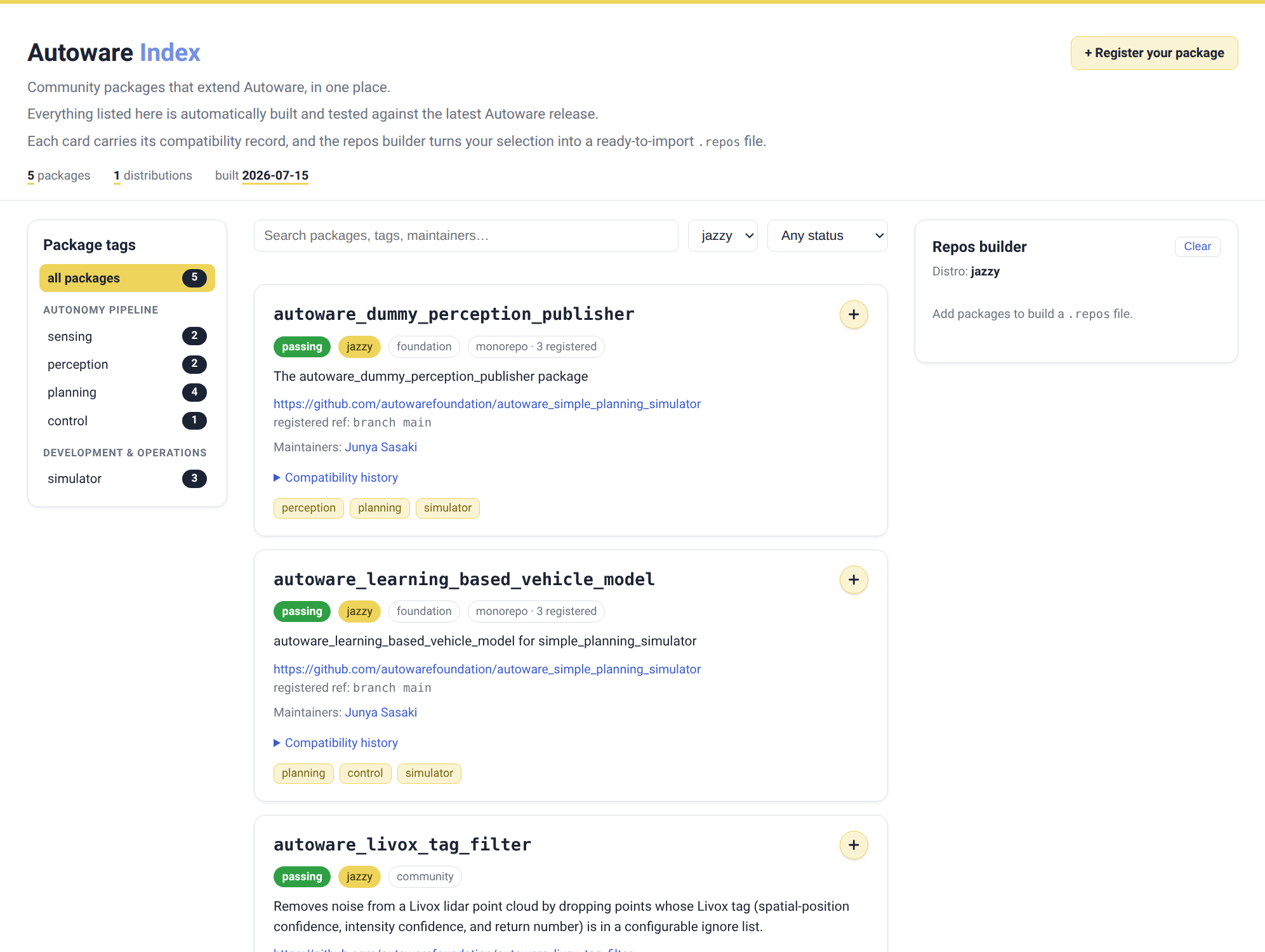
The Autoware Index is a registry of community ROS 2 packages that extend Autoware. It records which packages exist, where their source lives, and whether each one builds and passes tests against the latest Autoware release.
A regular source installation does not require the Autoware Index.
Use it when you want community or extra packages that are not part of the default workspace:
you select packages from the registry, generate a .repos file from your selection, and import it with vcs import like any other repos file.
There are two ways to generate the file:
aw-index-cli: a command line tool that composes it from the registry.- The browse site: its Repos builder composes and downloads the same file in your browser.
Using aw-index-cli#
-
Install the CLI with pipx.
pipx install aw-index-cli # first install pipx upgrade aw-index-cli # update to the latest release -
Compose the repos file from your Autoware workspace root (the cloned
autowaredirectory). By default, it writes your selection torepositories/autoware-index.repos.cd autoware aw-index-cli compose --rosdistro jazzy --packages <package_name>You can also select whole repositories by their registry key, or filter by tags:
# Pull in a whole repository entry by its registry key.
aw-index-cli compose --rosdistro jazzy --repository <repository_name>

# Select by tags. A package matches if it carries any of the listed tags.
aw-index-cli compose --rosdistro jazzy --tags sensing perception
When combined, the
--packages,--repository, and--tagsfilters are ANDed. Use the--rosdistrovalue that matches your ROS 2 distribution. The available distributions are listed in the autoware-index repository. -
Import the repositories and build your workspace as usual.
vcs import src < repositories/autoware-index.repos
rosdep install -y --from-paths src --ignore-src --rosdistro $ROS_DISTRO
colcon build --symlink-install --cmake-args -DCMAKE_BUILD_TYPE=Release
⚠️ An imported repository may also contain packages that are not registered in the index. To build only what you selected, scope the build with
colcon build --packages-up-to <package_name>.
Note
autoware-index.repos is a generated file.
Re-run aw-index-cli compose to update it, and do not edit it by hand.
Since the selection is user-specific, the file is ignored by git in the autoware repository.
Checking your workspace#
aw-index-cli check compares a composed autoware-index.repos file against the registry and the latest validation results.
Run it from the workspace root; it discovers the file automatically.
aw-index-cli check
It exits with 0 when all selected packages pass validation and match the registry, and with 1 when a package fails validation, has drifted from the registry, or was removed.
This makes it suitable as a CI gate after vcs import.
Listing packages#
To see the registered packages and their latest validation status from the terminal:
aw-index-cli list --rosdistro jazzy
Using the browse site#
If you prefer not to install anything:
- Pick your packages on the browse site.
- Open the Repos builder panel and download your selection as
autoware-index.repos. -
Move the file into the
repositoriesdirectory of your workspace and import it:cd autoware mv ~/Downloads/autoware-index.repos repositories/ vcs import src < repositories/autoware-index.repos
Registering your packages#
To make your own packages available through the index, register them in the autoware-index repository:
- Use the guided register page. It writes the registry entry for you, runs the same checks as the pull request gate, and opens the pull request on your behalf.
- Or register by hand: fork the repository, add one entry under
repositories:indistributions/<distro>.yamlfor each distribution you support, and open a pull request.
After a registration is merged, CI builds and tests each registered package against the latest Autoware release and publishes the results on the browse site.
Packages registered with a branch ref are re-validated nightly, while tag and sha refs stay pinned.
For the registry format, tag vocabulary, and validation rules, refer to the contribution guide.