Simulation
Close the loop in CARLA - the same VisionPilot binary, steering and braking a virtual vehicle through a ROS 2 bridge.
Open-loop replay tells you what the stack perceives. Closed-loop simulation tells you how it behaves when its own commands move the vehicle - which is the part that actually matters.
| Simulator | Transport | Status |
|---|---|---|
| CARLA 0.9.16 | ROS 2 | Fully supported - preferred |
| CARLA 0.9.16 | Zenoh | Experimental |
| SODA.Sim | - | Coming soon |
This page covers the supported CARLA + ROS 2 path. The others live under
Simulation/ in the repository.
1. Install CARLA
Vision Pilot targets CARLA 0.9.16 with Unreal Engine 4. Follow the official quickstart for binaries and dependencies, and the CARLA docs for everything else.
6 GB of VRAM or less? Apply the modifications in this gist to run CARLA in Docker with lower VRAM requirements. Tested on a laptop RTX 3060.
2. Run the simulator
Change the --volume path to wherever you downloaded CARLA:
docker run -it --rm \
  --runtime=nvidia \
  --net=host \
  --env=DISPLAY=$DISPLAY \
  --env=NVIDIA_VISIBLE_DEVICES=all \
  --env=NVIDIA_DRIVER_CAPABILITIES=all \
  --volume="/tmp/.X11-unix:/tmp/.X11-unix:rw" \
  --volume="$HOME/Downloads/carla/CARLA_0.9.16/:/home/carla/host-carla" \
  --workdir="/home/carla/host-carla" \
  carlasim/carla:0.9.16 \
  bash CarlaUE4.sh -nosound
Append --ros2 to the CarlaUE4.sh invocation to use the native ROS 2 interface.
| Flag | Why |
|---|---|
--runtime=nvidia |
GPU access |
--net=host |
Host network stack, so the bridge can reach CARLA |
--env=DISPLAY + X11 volume |
Forward the CARLA window to your display |
-nosound |
Avoids audio device issues in the container |
3. Build Vision Pilot with ROS 2 support
cd vision_pilot/VisionPilot/build
cmake -DONNXRUNTIME_ROOT=<ONNX_RUNTIME_ROOT_PATH> -DENABLE_ROS2_INTERFACE=ON ../
make -j$(nproc)
4. Configure
In config/vision_pilot.conf:
source.mode = ros2
In config/vision_pilot_ros2.conf, point at the bridge’s camera topic:
source.input_camera_topic = /carla/hero/main_cam/image
Remember to configure before building - see configuration.
5. Build and run the CARLA bridge
cd Simulation/CARLA/ROS2
colcon build
source ./install/setup.bash
ros2 launch carla_bridge_bringup carla_bridge.launch.py host:=<HOST> port:=<PORT>
host and port only need to be set if CARLA runs on a different machine to Vision Pilot.
Use the IP of the machine running CARLA and the port it publishes on.
6. Run Vision Pilot
From the build directory:
./VisionPilot
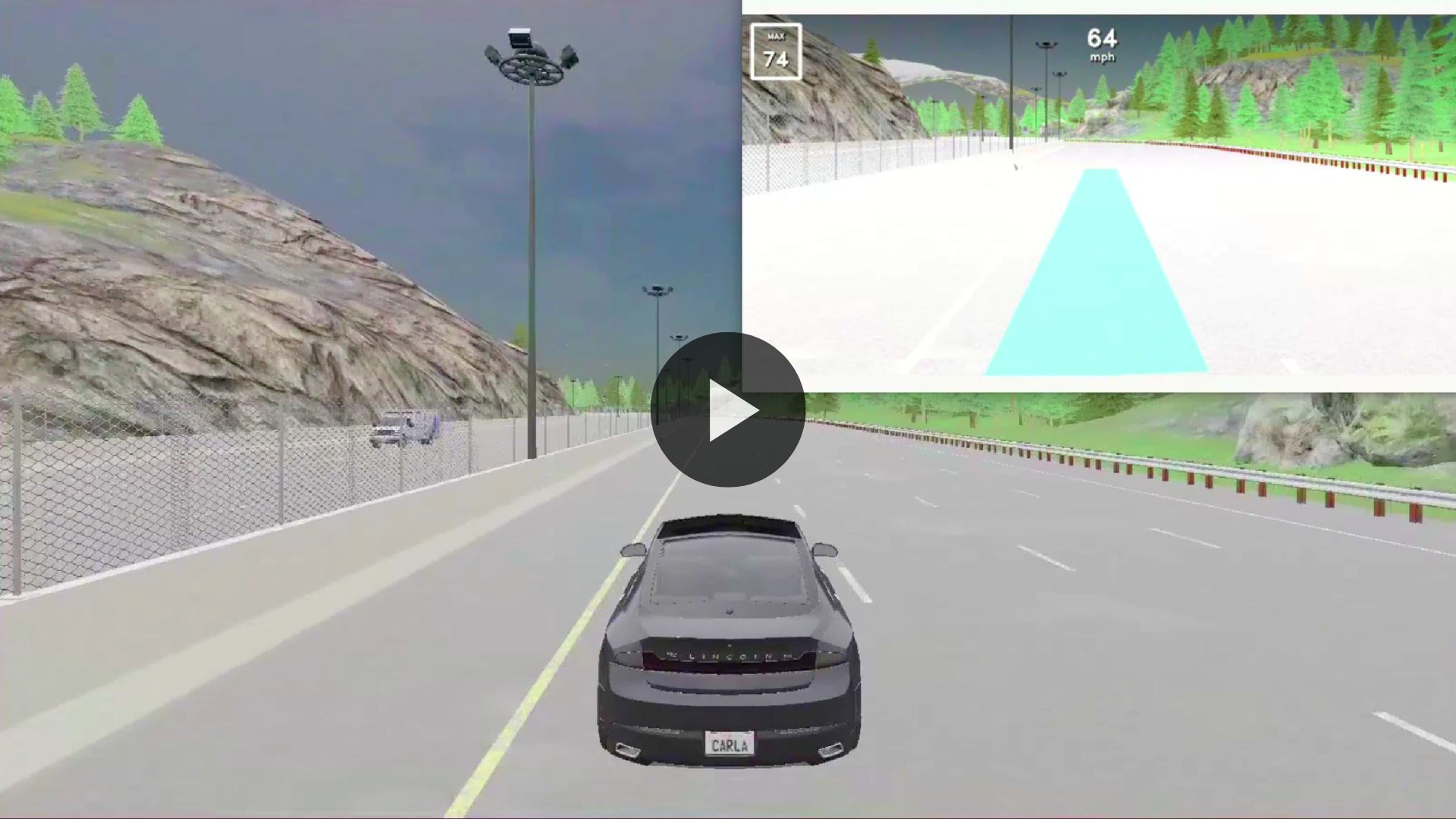
Vision Pilot closed-loop in CARLA - watch the full video.
What to watch for
Nothing renders, no frames arrive. Confirm the bridge is publishing:
ros2 topic hz /carla/hero/main_cam/image
If it is silent, the bridge is not connected to CARLA - check host and port, and that CARLA
started with --ros2.
Frames arrive but the vehicle does not move. Vision Pilot publishes to
vehicle_steering_topic and vehicle_acceleration_topic. Verify with ros2 topic echo, and
check the bridge is subscribed to the same names.
Camera geometry looks wrong. The homography in config/H.yaml describes a specific camera
mounting. A simulated camera with a different FoV or pose needs its own calibration - see
hardware and calibration.
Recording a run
Turn on Rerun logging to capture every frame of a closed-loop run for later inspection:
rrd_on  = true
rrd_log = carla_run.rrd
rerun carla_run.rrd